











It’s a beautiful Monday morning and, after burning some tokens, your AI assistant gives you a clean, plausible pull request. The tests pass, the diff looks reasonable, and you have five minutes before your next meeting. So what exactly are you checking? And how do you know you still understand the change?
Software development has always been a very cognitive job. We need to keep requirements in mind, build mental models of systems we don’t know yet, recognize patterns, make predictions and decide which evidence we trust. AI has changed how fast we can produce code and explanations, but our brains still have to understand what’s going on, and to be honest, sometimes AI makes that part easier to forget.
As Diarmuid, our CTO, mentioned in his editorial: engineering is moving from writing code line by line toward defining intent, providing context and validating outcomes. So the easier it gets to produce code, the more these human skills matter.
If you’re wondering why on earth a software engineer is writing about the brain, worry not: here are my credentials. Before moving into software engineering, I spent almost ten years studying the human brain, in clinical neuropsychology and neuroscience research. Now I spend my days building software, so this article is my attempt to connect those two worlds. (I’ll admit there’s another reason too: I have all this neuroscience knowledge sitting on a shelf in my brain, and every now and then I need to take it out and dust it off.)
A small disclaimer: this isn’t a neuroscience textbook, so I’ll simplify things quite a bit. The brain is complicated, and we could easily spend hours on any of these topics (on working memory alone, for example), so I’ll keep it practical.
I picked these four concepts the first time I gave a talk about the developer’s brain. They aren’t obsolete because of AI, but AI has definitely created new pressure points, so I’ve adapted them a bit. For each one you’ll find a tip to work with your brain rather than against it, and what changes when an AI assistant becomes part of your workflow.
1. Use the background processor
Has this ever happened to you? You’ve been stuck on a problem for hours (or days), you’re doing something that isn’t cognitively demanding at all, like taking a shower or going for a walk, and all of a sudden, as if it were magic, your brain just hands you a possible solution.
Well, that secret weapon has a name: the Default Mode Network, or DMN. It’s one of the many networks in our brain, a group of regions that are interconnected and work together, and it’s associated with internally directed thought, memory, imagination and spontaneous mental activity. It got its name because it’s active when we’re not focusing on any particular task, just daydreaming, in a kind of standby or default state. Most of us have benefited from it without even knowing it.
I promised I’d simplify, so here’s the fine print: the DMN isn’t a magical “aha machine”, and the brain doesn’t simply switch between one network for focus and another one for creativity. It’s a lot messier than that. But comparing focused attention with more associative thinking is still a good way to understand what’s going on.
When we focus, we rely on the Central Executive Network (CEN), the one that has traditionally been linked to problem solving.
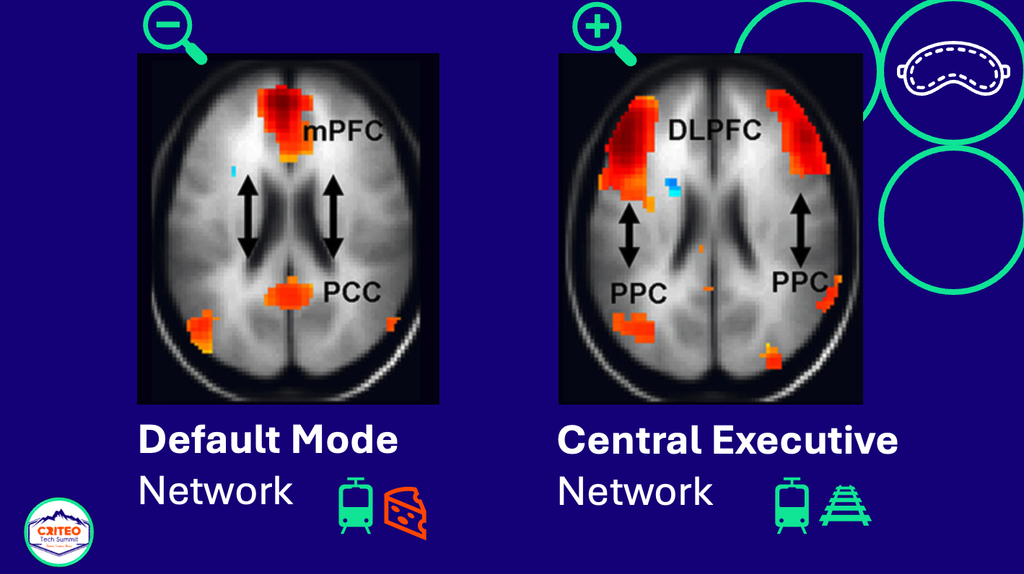
Think of it as your zoom-in mode: it helps you consciously focus, analyze and work through a problem step by step, which is exactly what you need when you’re debugging or implementing a feature. But that focus can also give you tunnel vision, because it sticks to the ideas you’re already juggling with. To put it simply, if you’re solving a problem about trains, your brain will probably connect what you know about trains with what you know about railroads.
The DMN is your zoom-out mode. While your mind wanders, it connects ideas you already have stored, but in totally new and surprising ways. It could decide to connect your knowledge of trains with your knowledge of French cheeses, for example.
That’s why a change of context can help so much when you’re stuck. Walking, washing the dishes, commuting, staring out of the window: anything that isn’t cognitively demanding gives the problem some space, and lets that background processor of yours do its magic.
Tip: dress me slowly, I’m in a hurry
In Spain, we say “Vísteme despacio, que tengo prisa”, which translates as “dress me slowly, I’m in a hurry”: when we rush, we tend to overlook things. So when you’re stuck, try not to respond automatically by working harder or by asking your AI assistant for yet another suggestion. Do this instead:
Pause → Switch context → Return
- Pause: write down the problem in one or two sentences, along with your current hypothesis and what you’ve already tried.
- Switch context: step away and do something short and low effort.
- Return: come back and see whether you understand the problem differently.
Don’t skip the writing part. Without it, taking a break can easily turn into avoiding the problem (we’ve all been there). With it, you have something concrete to come back to.
And in the age of AI, this also means not prompting your way through every block. Another generated answer isn’t always the best next step, and sometimes your brain just needs a bit of distance to see the problem differently.
2. Make learning stick
Ok, so the DMN helps you connect what you already know. But our careers are all about learning: a new framework, an unfamiliar repository, a different cloud service, a new security model, the new AI tool of the month… And with the pace our field is moving at, this is probably more important now than ever.
Think back to when you were learning a brand new framework, like React. At first, it’s just overwhelming: the syntax, the weird patterns, the hooks. It’s a lot. But after a few weeks of practice, you start recognizing the common structures, and you find yourself coding almost effortlessly.
That’s neuroplasticity at work. The brain is plastic, flexible, its structure isn’t fixed: when we learn something new, it literally rewires itself, building new pathways and strengthening them until the skill feels almost automatic. But those pathways get stronger every time we use them and weaker when we don’t, and that weakening is what we experience as forgetting.
When the assistant does the struggling for you
Now imagine that, instead of struggling through some of that learning, you ask an assistant to generate the component, explain the hooks and fix the errors. You’ll probably get productive faster, which is great. But you might also skip the effort that makes the knowledge usable on your own, and end up with the very convincing feeling that you understand something just because you’ve seen a good explanation of it.
That feeling can be misleading, because recognizing something is much easier than recalling it. It’s easy to read an answer and think “yes, that makes sense”, and a lot harder to rebuild it once the assistant isn’t there anymore.
I’m not saying we should avoid AI while learning. It can be a great tutor or pair programmer, especially when you’re new to a codebase. But explaining, debugging and owning a change are skills we can only build by practicing them ourselves, so let the assistant support that practice instead of replacing it.
This matters even more for junior engineers, who still need to go through the learning process themselves, struggle included. When an answer is always one prompt away, it’s easy to lose our tolerance for frustration, and that frustration is part of how we learn. My colleague Elise Baturone wrote a whole article about this on the Criteo tech blog, Forever Junior, in case you want to dig deeper.
Tip: sleep on it
So ok, repetition is important; we can’t expect to learn something after seeing it once. Then I’ll just do the same thing 200 times in one sitting and become an expert, right? Not quite. That’s like saving a file to a temp folder that gets wiped on restart. This review of research on spacing and retrieval practice explains why trying to retrieve something after a delay generally leads to more durable learning than just rereading it.
And this is where sleep comes in. Sleep is when your brain does its housekeeping, including persisting the data (consolidating your memories, if you prefer the technical term). While you sleep, your brain replays the new information from the day, a bit like a movie, and reinforces those new pathways. Part of this happens during REM sleep (which is not the band, but the Rapid Eye Movement phase), when we dream most vividly.
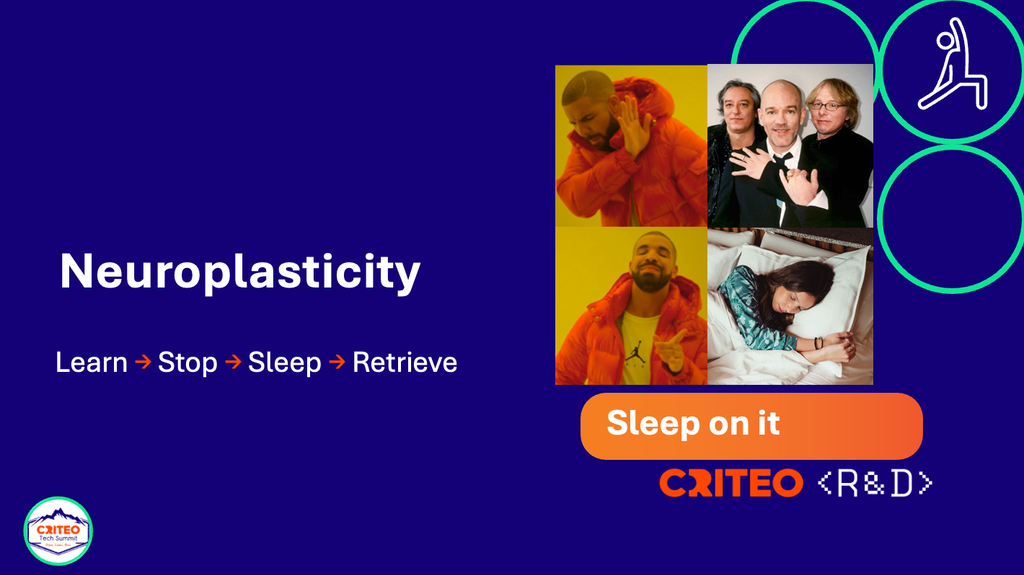
So here’s the tip: learn something, stop looking at it, sleep, and then try to retrieve it later.
Learn → Stop → Sleep → Retrieve
With an AI assistant around, this means closing it every now and then and asking yourself: “Could I explain or reproduce this tomorrow?” Before you ask for an answer, write down what you expect it to look like, so you can compare. And after you get an explanation or an implementation, close the assistant and try to:
- Explain the idea in your own words.
- Rebuild the smallest version of it without looking.
- Predict what would happen if one important condition changed.
- Write down what you still don’t understand.
Then try again a few days later, instead of cramming it all into one long session. The assistant can help with every one of these steps, as long as it doesn’t take away the ones where you have to think.
3. Reduce cognitive load
Now imagine it’s the beginning of the quarter and you’re in a refinement session with your team, discussing an OKR that involves migrating to an entirely new authorization system. As you start thinking about all the unknowns (new frameworks, dependencies, integration points), your brain just melts. That’s cognitive load or, in other words, the mental effort you can already tell you’ll need to handle all that complexity.
Cognitive load depends on two main things: how much information we need to process, and how complex the relationships between those pieces are. And the problem is that it puts a lot of pressure on our working memory. Let’s try a small experiment. Look at this sequence for two seconds:
51F3T7HL
Now reorder it: numbers first, from smallest to largest, then the letters in alphabetical order.
The answer is:
1357FHLT
If I asked you how you did it, you’d probably tell me you used a kind of mental whiteboard, where you wrote the items down so you could sort them. Well, that whiteboard is your working memory, your own RAM in many ways: it’s where you temporarily keep and manipulate information while you’re working with it. And just like RAM, it gets wiped as soon as you stop using it (quick, what was the sequence again?).
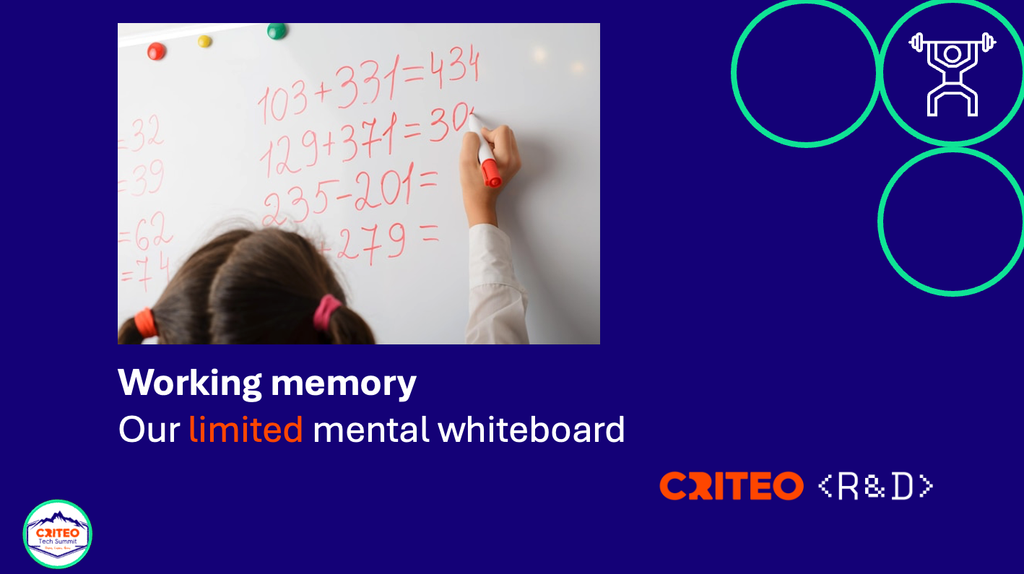
If it felt harder than it should, that’s because you had to keep several items in mind and move them around at the same time. And our whiteboard is tiny. Its capacity depends on the task, on our expertise and on how meaningful the information is, but it’s always very limited. When we go over that limit, things get harder to track and mistakes become more likely. In the exercise, for example, you might have misremembered where you saw a letter, swapped one number for another, or even remembered a number that was never there. Sound familiar? Turns out LLMs aren’t the only ones that start hallucinating when their context gets bloated.
This is the same whiteboard we use when we trace a complex code path, keep several requirements in mind, compare dependencies and try to predict the impact of a change, all at the same time.
More code, more to check
AI may take care of syntax and boilerplate, but it can also increase the amount of code and context we need to verify. A code agent can produce a lot of implementation very quickly, and a human still has to decide whether the boundaries are right, whether the assumptions match the system, whether the error handling makes sense, and whether the change belongs in the codebase at all. So we spend less effort writing and more effort verifying, and the more an agent produces, the more important it is to keep changes small enough to review and to make the expected behavior explicit with tests.
You can already see this in how people use agents. In Anthropic’s analysis of Claude Code usage, the longest agent turns nearly doubled, from under 25 minutes to over 45 minutes. Newer users went for full auto-approval in roughly 20% of their sessions, and users with 750 or more sessions in over 40%. But experienced users also interrupted agents more often. So rather than switching off, people seem to stop approving every single step, let the agent run, and step in when they need to.
A small interview study with 17 experienced developers found that real-time monitoring was often skipped, and warned that a quick scan can miss issues in longer or more complex tasks. From a cognitive load point of view, that makes a lot of sense: if the agent keeps working while our attention is somewhere else, there’s more to reconstruct and verify when it stops.
Holding more in your head won’t help here, but dividing and conquering on purpose will:
- Ask for a plan before you ask for a big implementation.
- Ask for small changes that you can review one at a time.
- Draw the relevant dependencies before you accept a design.
- Keep a decision log for the choices that aren’t obvious.
- Use tests to make the expected behavior explicit.
- Ask the assistant to explain a change, but check that explanation against the code.
Your assistant may have a huge context window, but your reviewer doesn’t, and a huge generated diff won’t fit on anyone’s whiteboard.
Tip: divide and conquer
Complexity isn’t only about length, though. A short function can be really hard to follow if it depends on lots of hidden assumptions, and a longer piece of code can be easy to work with if it’s well structured and split into meaningful units.
So how do we work smart within those limits? You’ve heard it a thousand times: divide and conquer. In three steps:
Chunk → Simplify → One piece at a time
- Chunk: break complex problems into smaller, meaningful units. A quick diagram or some pseudocode can help you find them.
- Simplify: that’s why “keep it simple, stupid” is such good advice in coding. Shorter functions, clear names and explicit dependencies reduce the number of things your working memory (and your teammates’) needs to juggle.
- One piece at a time: then work through those units one by one, so you never need to hold the whole problem on your whiteboard at once.
Writing things down helps a lot too: diagrams, tests, comments and decision records take some of the load off your mental whiteboard and put it somewhere you can see it.
4. Debug like a scientist
Lastly, debugging, where all of these ideas come together. It’s 10am on a random Tuesday and you’re debugging an issue you found in a monkey testing session. You’re trying to understand why, why, why the code isn’t behaving the way you want. In the end you find it, and the solution was right in front of you the whole time, but somehow you felt like you were blind to it.
This happens because our brain is a very sophisticated pattern recognition machine. That’s a big part of how we’re wired, because it was a super relevant advantage in our evolution as a species. When we were living close to wild animals, being able to quickly detect patterns like “if I hear a branch crack and some leaves moving, I need to start running” mattered a lot: those of us who were best at it were the ones who avoided the tiger, survived, and passed their genes down to the next generation.
Pattern recognition is also one of the reasons experienced developers can diagnose familiar problems so quickly. But the same shortcut can make us overconfident: we decide that the bug looks like something we’ve seen before, and then we only look for evidence that confirms it. That’s called confirmation bias.
Let’s say an issue looks like a configuration problem. We check the configuration, find something slightly suspicious, and from then on we read every new clue through that explanation. Meanwhile, the real problem might be a race condition, a wrong assumption about the data, or a completely different service.
And AI can make it worse. Assistants have biases of their own, from the data they were trained on, so they tend to suggest the most common cause, which isn’t necessarily ours. And they don’t know our system: they predict the most plausible answer based on what we give them. So if our prompt already says “I think it’s the cache”, we’ll most likely get a confident, well-written answer that agrees with us, and our first hypothesis gets “confirmed” without any new evidence. Before we know it, we’re validating the assistant’s story instead of investigating the system.
There’s research on this too. Automation bias is the tendency to over-rely on automated recommendations, especially when workload, time pressure or task complexity make it harder to check things ourselves. Automated advice isn’t always bad, of course. The problem is that our confidence in it can become disconnected from how reliable it actually is.
Tip: try to disprove your theory
That’s why the best approach is to debug like a scientist: hypothesize, predict, and try to disprove.
Hypothesize → Predict → Try to disprove
- Hypothesize: treat your first explanation as a hypothesis, not as a fact, especially when it was an AI assistant that suggested it.
- Predict: if your hypothesis is right, what else should be true? What should you see in the logs, or in a test?
- Try to disprove: find a test that could prove you wrong, run it, and update your hypothesis based on the result.
The third step is the one we usually skip. Looking for evidence that supports our theory feels like progress, and trying to prove ourselves wrong feels slow in the moment. But it’s still faster than spending an hour polishing the wrong explanation.
Two more things can help:
- Explain the problem out loud. Talking it through, even to a rubber duck, puts your assumptions in an order you can actually check, and often shows the gaps in your logic.
- Shift perspective (you’ve seen this one before). Take a break and let your DMN do its work. When you come back with fresh eyes, you’ll often spot the contradiction you couldn’t see before.
And when AI is involved, add one more rule:
Treat the assistant’s output as a hypothesis, not as evidence.
Ask what the suggestion predicts, and test that prediction yourself. For a high-risk change, that can also mean asking someone for an independent review, instead of letting a plausible explanation (or a passing test suite) stand in for understanding. You’re still the one who owns what ships.
The cognitive toolkit
- “Dress me slowly, I’m in a hurry”
When you’re in a hurry and feeling stuck, take an intentional pause, step away and let your DMN do the work, then return.
Pause → Switch context → Return
- Sleep on it
When you’re learning something new, spread the practice out, try to retrieve it without looking, and sleep on it.
Learn → Stop → Sleep → Retrieve
- Divide and conquer
When a problem feels too big, chunk it, simplify it, and take it one piece at a time.
Chunk → Simplify → One piece at a time
- Debug like a scientist
When you’re debugging, think like a scientist and try to disprove your first explanation, whether it came from you or from an AI assistant.
Hypothesize → Predict → Try to disprove
And lastly, remember: AI can generate an answer and amplify your skills, but it’s not a replacement: your brain still has to understand and verify it.
What to try tomorrow
Next time you use an AI assistant for engineering work, try this:
- Predict before you prompt. Write down what you think the solution should involve.
- Ask for a small change you can actually review. Don’t accept a big block of code when a smaller step would show you more.
- Explain the result. If you can’t explain the change, it’s not really yours yet.
- Test the important assumption. What would make the proposed solution wrong?
- Come back later without the assistant, and see if you can still rebuild the key idea.
Don’t get me wrong, I’m not saying we should stop using AI. Code agents can help us move a lot faster, but they don’t take responsibility for what we ship, we do. And if there’s one thing I’m sure of when it comes to the brain, it’s that it works under the principle of “use it or lose it”. If we stop using our critical thinking, well, we’ll lose it.
Your brain is still the most important tool in your setup. It doesn’t come with a user manual (and some days it really shows), but I hope this helps you work with its natural tendencies rather than against them.
Further reading
- The science of effective learning with spacing and retrieval practice, Carpenter, Pan, and Butler.
- Automation bias: a systematic review of frequency, effect mediators, and mitigators.
- Measuring AI agent autonomy in practice, Anthropic.
- Human oversight of agentic systems in practice.
- Raichle, M. E. “The Brain’s Default Mode Network.” Annual Review of Neuroscience, 2015.
- Kahneman, D., Sibony, O., and Sunstein, C. Noise: A Flaw in Human Judgment, 2021.
- Sweller, J., Ayres, P., and Kalyuga, S. Cognitive Load Theory, 2011.